



Advertiser Disclosure: Eye of the Flyer, a division of Chatterbox Entertainment, Inc., is part of an affiliate sales network and and may earn compensation when a customer clicks on a link, when an application is approved, or when an account is opened. This relationship may impact how and where links appear on this site. This site does not include all financial companies or all available financial offers. Opinions, reviews, analyses & recommendations are the author’s alone, and have not been reviewed, endorsed, or approved by any of these entities. Some links on this page are affiliate or referral links. We may receive a commission or referral bonus for purchases or successful applications made during shopping sessions or signups initiated from clicking those links. The content on this page is accurate as of the posting date; however, some of the offers mentioned may have expired.
We often receive helpful emails and blog comments from our readers advising us of post tips or mileage runs others may find helpful.
And now I wonder if you have good ideas for a situation I often encounter.
I frequently use my 2019 Apple MacBook Pro during flights. It’s a great way to tackle blog work and client projects (and send annoying messages to my friends on the ground. 🙂 ).
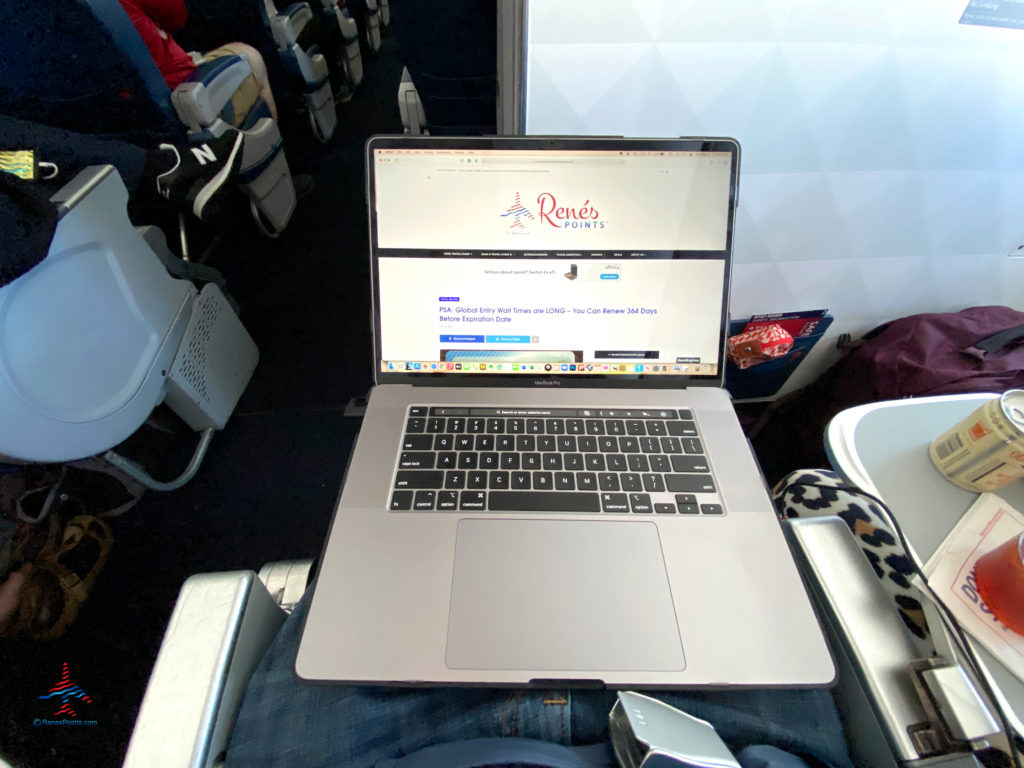
I oftentimes end up in a bulkhead seat — either in Comfort+ or First Class.
The tray tables are located in the armrests.
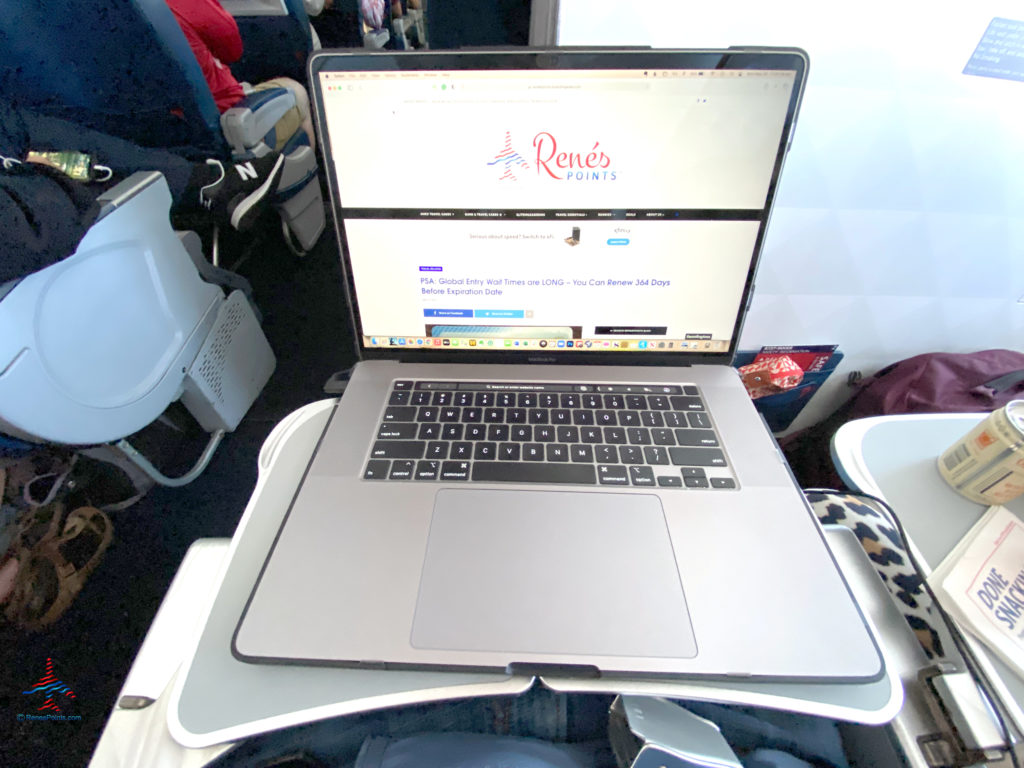
So, as opposed to non-bulkhead seats, there’s nothing in front of them to help prevent objects from sliding or falling off the tables and, well…
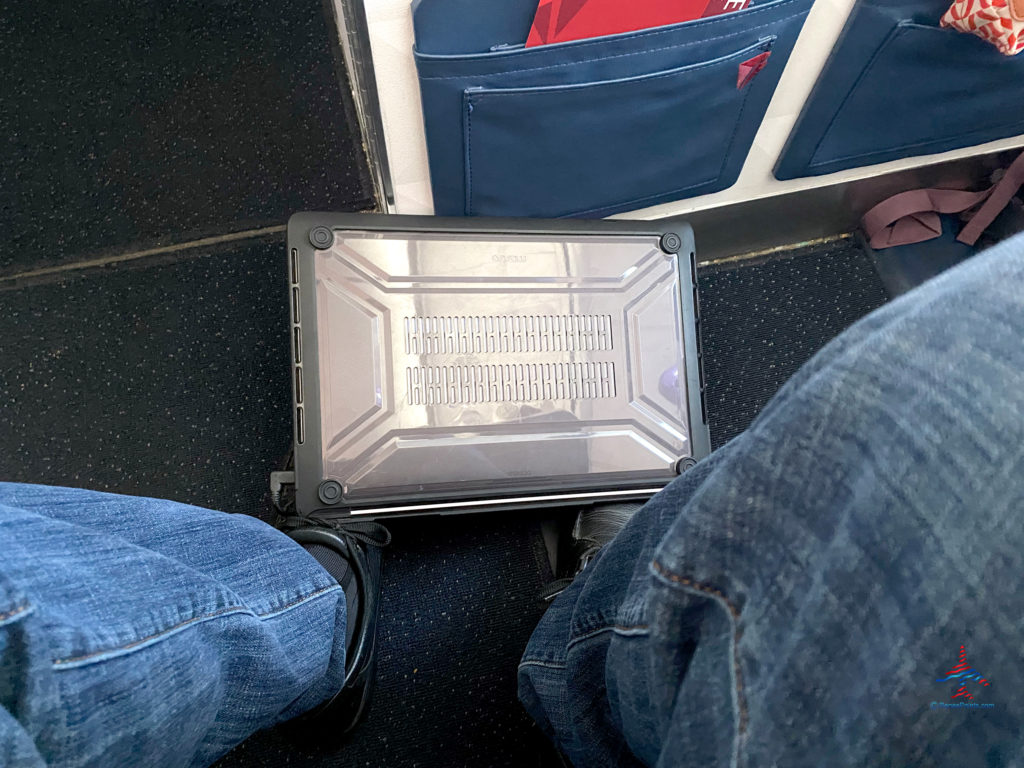
I sometimes use my laptop as, well, a laptop. The computer sits on my lap while I work. But I find myself sort of leaning forward and tilting my head down. So that puts some strain on my back and neck.
Putting the computer on a tray table is preferable.
So do you have an idea how to strap it down or prevent it from falling off the tray table?
I know I could switch seats and find somewhere my precious little computer wouldn’t fall off the tray table. But I’m honestly curious if anyone has a “fix” for this that allows you still keep your bulkhead seat and not worry about anything taking the Nestea plunge off your tray table.
Suggestions welcome in the below Comments section!
Featured image: ©iStock.com/Wiyada Arunwaikit
Advertiser Disclosure: Eye of the Flyer, a division of Chatterbox Entertainment, Inc., is part of an affiliate sales network and and may earn compensation when a customer clicks on a link, when an application is approved, or when an account is opened. This relationship may impact how and where links appear on this site. This site does not include all financial companies or all available financial offers. Opinions, reviews, analyses & recommendations are the author’s alone, and have not been reviewed, endorsed, or approved by any of these entities. Some links on this page are affiliate or referral links. We may receive a commission or referral bonus for purchases or successful applications made during shopping sessions or signups initiated from clicking those links.









Dell makes an “anti slip thin mat” which may be helpful.
And a great way to use the Business Platinum Card‘s Dell credit! Thank you for the idea!
buy rubberized shelve liner that you can cut to fit. You can put it down on the tray and then your laptop. You could also attach by double stick tape.
Thank you!!
A couple of ideas. Get a smaller laptop, get an iPad pro or just use the laptop on, well, your lap only which is what I do much of the time. That’s why I like the old first-class recliner seats with the tiny pull-out drink shelf. In lay flat, it’s not as big of a problem.
The other thing a smaller laptop will help you with is when you aren’t on the bulkhead and someone is reclined. I had good luck for several years with a convertible laptop that would convert to a tablet. The advantage was you could keep it out the entire time. The FA’s will allow tablets and phones out but won’t let you get out laptops until altitude which really is a pain on short flights or if you need to get work done.
Great ideas — thank you!!
I’d try a piece of non-adhesive, non-slip kitchen shelf liner. Cheap, light, portable, and should keep the laptop from slipping thru all but the worst turbulence.
Thanks much!!
https://www.lowes.com/pd/Scotch-Grippy-Dot-Pad/1002690314
Thanks!!
A thin non-skid pad or mat works very well. The ones I’m thinking of are a little like a rubberized net, very lightweight and take almost no space.
Sure, if you really work at it your MacBook still can take a spill. but it’s much more stable in general use.
I cut up an old yoga mat and take a small rectangle of it with me when I travel – it keeps my phone and laptop from flying off the tray on airplanes. It keeps the tray from being so slippery. I also use this on the console of my car for my phone.
Thanks, Cindy! Maybe a yoga mat will find its way into my house after all 🙂
Find a smaller piece and cut to the size you need. Shoot me a size and I will send you one.
https://www.homedepot.com/p/Mockins-8-ft-x-10-ft-Premium-Grip-and-Non-Slip-Rug-Pad-MH8X10RP07/312820343
Wow, thank you!!
Apply rubberized or silicon stickers to the bottom of the laptop, or place an anti slip mat like ones for the dash of your car that stop a cell phone from sliding around. Sometimes at home, I’ll put a thin Silicon trivet under something like a laptop to keep it from sliding around. You don’t need it to “stick” to the tray table, just resist slipping and sliding, so even at an angle these could work. (Disclaimer – I’ve done the above on the ground not in the air)
Thanks, Arun!
One or two command strips!
Thanks, Conrusco!
I’ve never actually used this, so I can’t speak to how well it actually works, but this might help? http://craziestgadgets.com/2014/04/22/aero-tray-for-better-airplane-laptop-usage/
Thanks! That looks so cool!
The 13″ sizes seem to fit better when in coach with reclining front neighbor or wobbly side pocket fold-out table. The inexpensive plastic cases have grippy rubber feet which work for a while (replace when un-grippy or loose).
You’re talking about MacBooks, correct?
Alien tape..
Looks like you’re in 1C on a Delta CRJ. Try 8B or 8C. Actually a little more legroom, you get a tray table, and the guy in front of you can’t recline. (I hope I got that right as I haven’t been in the air for over a year.)
No sympathy here my two handed friend! Love you.
From your picture of the right hand hinge busted off, switch to a Dell laptop for their much better (Yes, I’ve owned a MacBook Pro and their service sucks by comparison) support (ProSupport) and include the Accidental Damage waiver.
For the ‘falling off the tray table’ issue, I’ve seen that condition frequently on Delta trays from people putting too much weight on the tray tables and they are now naturally in a downward slope, so what I do is take one of the drink napkins or other heavier stock paper handed out during the flight related to the food service, fold it several times and stick it in the tray table hinge area, making the tray now level again. It’s a lot easier than the constant artificial elevation of one leg / knee to hold the tray table flat.